



Mini PC for Creators: How to Choose the Right Mini PC for Content Creation
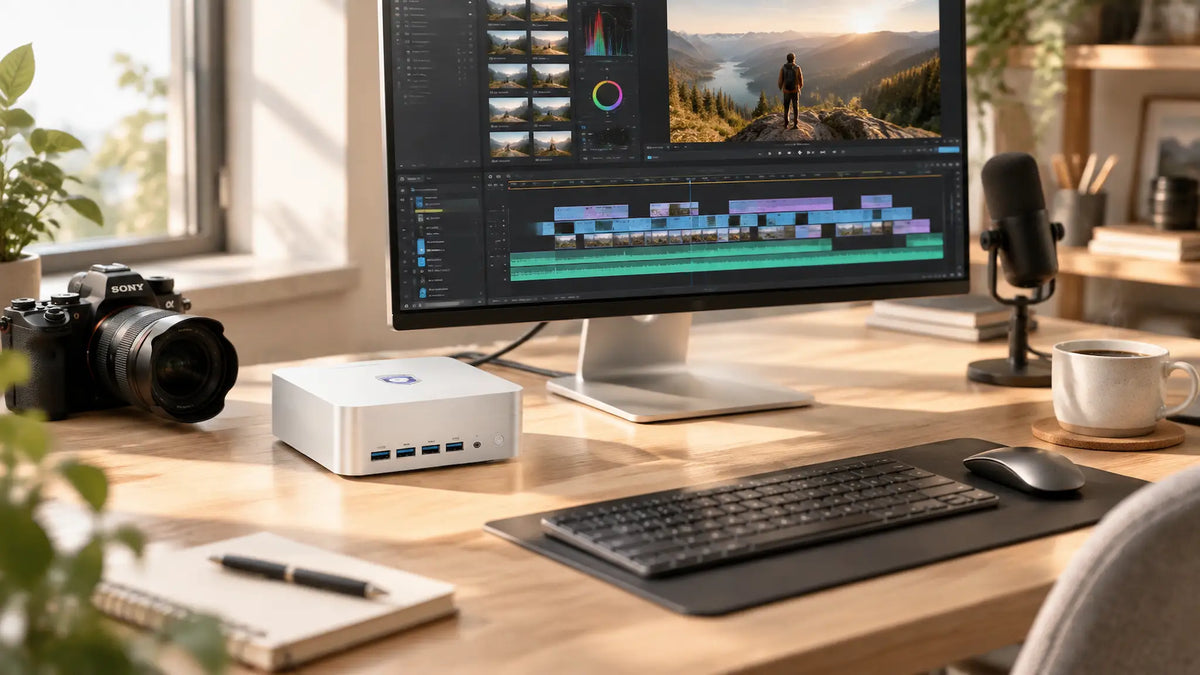
The modern creative workflow demands power, but it no longer requires a massive tower dominating your workspace. If you are building a studio in 2026, the paradigm has shifted. Compact computing has evolved from handling light office tasks to executing heavy 4K video rendering, local AI deployments, and photo manipulation. But when considering a pc for content creation, minimalist design is only part of the equation, since not every mini-PC is built for creative workloads.
For instance, a mini-PC with 8-Thread processors, 16GB RAM, and basic integrated graphics mainly suits office workflows rather than a focused creative environment. This means that the right mini-PC for content creation must meet a handful of specs, including CPU, GPU, RAM, and thermal design.
As such, the questions content creators should be asking include:
● What can a mini PC handle?
● What specifications matter most?
● When should you choose a mini PC over a traditional desktop?
This guide aims to answer these questions.
Can a Mini PC Handle Content Creation?
Yes, a properly configured mini PC handles content creation workloads without requiring a full-size desktop tower. These systems offer the necessary blend of high-performance processors, dedicated or strong integrated graphics, and fast storage to handle demanding tasks like 4K video editing, 3D rendering, and high-fidelity gaming without sacrificing workspace.
What Can You Do With a Mini PC?
With a mini PC, creators can do the following:
-
Edit videos and pictures
-
Execute graphic design tasks
-
YouTube production
-
Social media content
-
Podcasting
-
Music production
-
Light 3D work
-
Streaming.
It can also serve as a central computer for a compact studio, helping to connect a monitor, external SSD, camera, microphone, speakers, and other hardware.
What Can a Mini PC Handle Well?
Without additional hardware a mini PC can properly handle the following tasks:
-
1080p video editing,
-
Photo editing
-
Graphic design
-
YouTube production, and
-
Podcast production
If configured with the right hardware such as a stronger processor, RAM, fast NVMe storage, and capable graphics a mini PC can handle the following applications:
-
DaVinci Resolve
-
Premiere Pro
-
After Effects
-
Light 3D rendering.
Why Choose a Mini PC for Content Creation?
The main advantage is its size: it does not take up as much physical space as a desktop.
Small Footprint, More Desk Space
With a mini PC, creators get more room on their workspace to accommodate more hardware like a larger monitor, microphone, keyboard, camera, speakers, external storage, or even a drawing tablet.
Powerful Performance in a Compact Form Factor
Mini PCs has powerful processors combining multiple CPU cores, integrated graphics, memory controllers, media capabilities, and high-speed connectivity into a compact design. It integrates CPU and GPU capabilities in a low-profile system-on-chip design and support technologies such as DDR5 memory and Thunderbolt 4 or USB4.
Lower Power Consumption
Mini PCs consume less power than a large desktop, but this depends on the processor, graphics hardware, workload, cooling system, and power settings.
Easy to Build a Clean Creator Setup
A mini PC comes with various display ports and USB ports where creators can connect vital hardware, such as a monitor, keyboard, mouse, external SSD, camera, microphone, speakers, and card readers.
What Specs Matter Most in a Mini PC
The workload a mini PC executes determines its specifications.
CPU: The Foundation of Your Creative Workflow
The CPU processes application instructions, manages multitasking, handles many encoding tasks, as well as performance calculations required by editing, design and audio applications. A mini PC is either based on single-core performance or multi-core performance. These are specialised built-in hardware engines inside the chips to compress and decompress video files.
GPU: One of the Most Important Factors for Creative Work
The GPU handles graphics calculations in applications that support GPU acceleration. There are two types of GPUs: integrated GPUs and dedicated GPUs. A mini PC with integrated graphics can be excellent for many creator workloads, but demanding 3D and GPU-heavy workflows may require a discrete GPU or external GPU solution.
How Much RAM Does a Creator Need?
|
Workload |
Recommended Ram |
|
Basic Content Creation |
16GB |
|
Photo Editing 1080p |
16-32GB |
|
Video Editing |
16-32GB |
|
4 K Video Editing |
32GB |
|
Heavy After Effect/Multitasking |
32-64GB |
Storage: SSD Capacity Matters More Than You Think
Creators should go for a mini PC with large storage space to prevent lag, especially when dealing with videos as they consume storage quickly. They should also ensure it supports external SSDs and NVMe SSDs.
Cooling and Sustained Performance
Cooling is vital in mini PCs as content creation workloads often keep the CPU and GPU under heavy load for extended periods. As such, sustained performance matters more than a single peak speed result.
Ports and Connectivity for Creators
Ports and wireless connectivity determines how easily a creator can connect the hardware throughout a production workflow. Common interfaces include:
-
USB-C
-
USB4
-
USB-A
-
HDMI
-
DisplayPort
-
SD/card readers
-
Ethernet
-
Wi-Fi
Best Mini PC Specs for Different Types of Creators
The best mini PC for content creation depends on the application, file sizes and workload.
YouTubers and Video Creators
YouTubers often prioritize a modern multi-core CPU, 16GB-32GB of RAM, a fast 1TB of higher SSD and hardware video encoding/decoding support. Creators working with 4k footage favour 32GB or more RAM, with a stronger GPU when their editing software uses GPU acceleration extensively.
Photographers
For a photographer, a 16GB system suits light workflows, while 32GB provides more headroom for large files. To avoid running out of space or experiencing lag or error messages, a 1TB or 2TB SSD is highly recommended. For photographers who depend on multitasking, mini PCs with multi-monitor support, allows them to open applications such as Photoshop and Lightroom freely.
Graphics Designers
Graphic designers using apps like Photoshop and Illustrator need at least a modern 6-core Intel Core i5 or AMD Ryzen 5 CPU. This can be paired with 32GB of RAM to handle massive canvas sizes. Ensure it features Thunderbolt 4 or multiple DisplayPort outputs for a multi-monitor layout.
Streamers
A streamer should consider a mini PC with an AMD Ryzen 7 or Intel Core i7, an NVIDIA RTX 40 series, NVIDIA NVENC or Intel Quick Sync, with 2.5Gbps Ethernet for a smooth internet connection. Also, three video outputs for multiple displays is necessary.
Podcasters and Music Creators
Podcasters demand a quiet environment, as such a fanless design or silent cooling profiles is ideal. They can also go with the same mini PC design as streamers.
Freelancers and Multi-Platform Creators
As a freelancer and multi-platform creator, the main focus should be on a mini PC with the following capabilities:
-
Multitasking
-
Editing software
-
Cloud storage
-
External displays
-
Storage expansion
Mini PC Vs Desktop PC for Content Creation
|
Feature |
Mini PC |
Desktop PC |
|
Size |
Compact |
Larger |
|
Desk space |
Excellent |
Requires more space |
|
upgradeability |
limited-Moderate |
Excellent |
|
Dedicated GPU |
Model dependant |
Easier to configure |
|
Portability |
Better |
Poor |
|
Power efficiency |
Often better |
Varies |
|
High-end rendering |
Model dependant |
Better suited |
How to Choose the Right Mini PC for Your Creative Workflow
Picking the right Mini PC is all about the right specs and proper budgeting.
-
Step 1: Decide on your working resolution and the needed hardware requirements.
-
Step 2: Go for RAM that matches the workload and multitasking requirements of your field.
-
Step 3: Determine the GPU and storage required for your workload.
-
Step 4: List every external device you plan to connect to the mini PC and match it with the available ports and display support.
-
Step 5: Go for a fanless or silent cooling system if you need a quiet environment or if you work with a microphone.
-
Step 6: Set a budget using the requirements made earlier.
VZMORE: A Compact PC for Modern Creators
VZMORE positions its mini PC around compact computing, sustained performance and connectivity.
Why VZMORE Fits a Creator Setup
Its current flagship AX9 Max combines an AMD Ryzen AI 9 HX 470 processor with Radeon 890M integrated graphics, up to 256GB of DDR5 memory and up to 5TB of PCIe 4.0 SSD storage across two M.2 slots. It also includes a 55-TOPS Ryzen AI NPU, Windows 11 Pro, and extensive display and peripheral connectivity, giving creators a compact platform for editing, multitasking, local AI workloads, and other demanding desktop tasks. Ryzen AI 9 HX 470 uses Zen 5 architecture with 12 cores and 24 threads and reaches up to a 5.1GHz boost clock.
Build a Creator Setup Around VZMORE
A practical creator workstation can start with the VZMORE AX9 Max, a colour - accurate monitor and an external SSD for active projects or media archive. A camera connects through the available USB ports. Photographers can use the built-in SD 4.0 card slots to transfer supported camera media directly, while video creators can connect high-speed external storage through USB4.
FAQs
Can a mini PC run Premiere Pro?
Yes, most mid-range and higher mini PCs handle this application smoothly. However, performance depends heavily on hardware specifications and resolution of a video project.
Can a mini PC edit 4 K video?
With 32GB of RAM, a capable CPU, and cooling built for sustained loads, a mini PC can edit 4k video effectively.
Is 16Gb RAM enough for video editing?
16GB handles basic 1080 editing, short videos and lighter projects. Heavy After Effects projects demands from 64GB or higher.
Do creators need a dedicated GPU?
Not always; they can make use of integrated graphics to handle photo editing, graphic design, 1080p video editing and lighter workloads effectively.
Can a mini PC replace a desktop for Creative work?
When its specifications match the workload, a mini PC can replace a desktop. The technology provides strong performance while occupying less space.
Is a mini PC good for Photoshop?
Yes. Photoshop benefits from a capable CPU, adequate RAM, fast SSD storage and good display connectivity.
Are mini PCs good for YouTube creators?
A suitable mini PC can handle video editing, thumbnail creation, audio production, file management and publishing workflows. This makes it good for YouTube creators.
Conclusion
A mini PC serves as an excellent content creator tool, especially when its hardware matches the workload. However, in making considerations, CPU and GPU performance, RAM, SSD capacity, cooling and connectivity matter more than physical size alone. And that’s where VZMORE comes in, offering compact systems that combine modern processors, integrated graphics, expandable memory and storage, as well as extensive connectivity for creator-focused setups.

VZMORE is a leading manufacturer of AI Mini PCs. Our systems combine whisper-quiet VC cooling, high performance, and intelligent AI processing power—tailored for demanding applications in home offices, creative workflows, and edge computing. Enjoy free shipping on all orders.
Related Articles
Subscribe to Newsletter
Get the latest news, product updates, and exclusive offers delivered straight to your inbox.