



TDP Meaning and Why It Matters When Buying a Mini PC
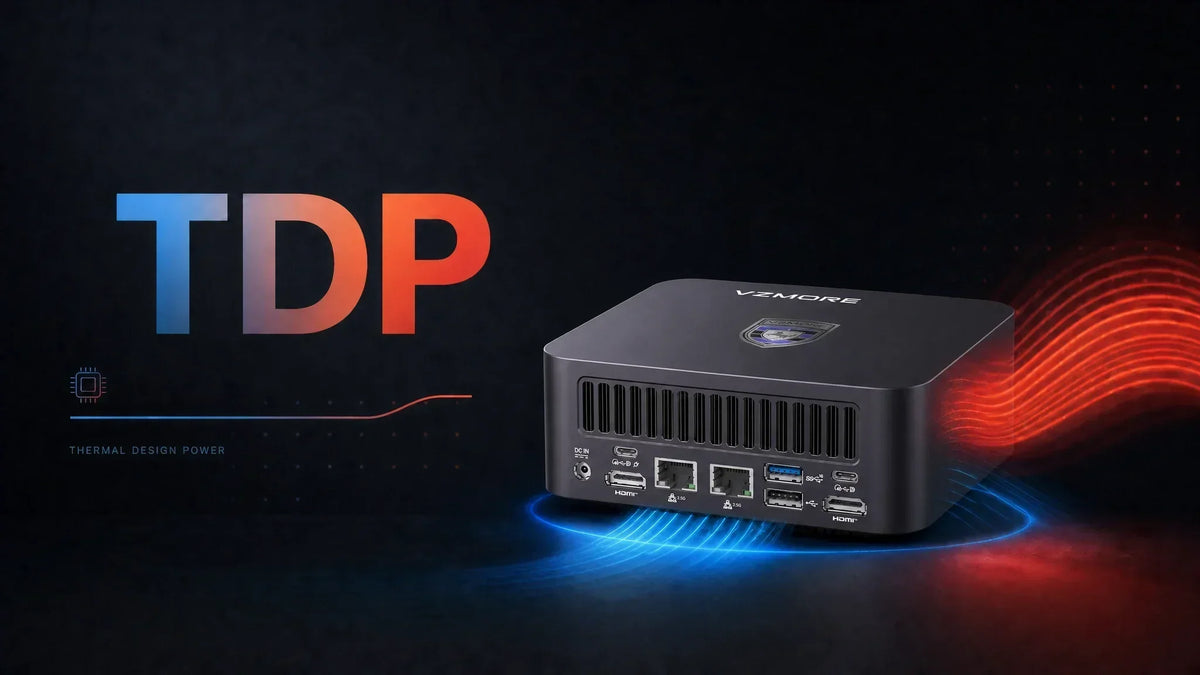
The term TDP stands for Thermal Design Power, and it is written in watts. TDP is a thermal design target that indicates the amount of heat a processor's cooling system is designed to dissipate under a defined workload and operating condition.
Knowing this is especially crucial when you’re out shopping for a Mini PC. In a 1.7-pound aluminum box, there is very little room for a big heatsink, thick heat pipes, or a slow-spinning 140mm fan. So the power figure a manufacturer lists for the processor ends up shaping almost everything about the Mini PC’s hardware.
For example, it affects how much heat builds up inside the chassis, how loud the fan gets, how much performance survives past the first two minutes of a render, and which CPU and GPU combinations even make sense in that form factor.
Keep in mind that TDP is not a reading of how much electricity your processor consumes. Treating it that way is the single most common mistake buyers make when comparing small computers.
What Does TDP Mean?
TDP is a thermal engineering number, written from the point of view of the cooling system. It answers a frequently asked design question like "how much heat does this cooler need to be capable of removing so the chip can do its job properly?"
What Does TDP Stand For?
Thermal Design Power. AMD's own internal wording, obtained and published by GamersNexus, describes it as the recommended design target for power when engineering a processor's thermal solution, measured at nominal voltage and the maximum specified maximum specified case temperature.
The chain runs like this: Electrical power consumed by a processor is largely converted into heat, which the cooling system must dissipate. TDP provides a thermal design target that helps determine the cooling capacity required for the processor.
What Is TDP Measured In?
Watts. Expect to see figures like these on Mini PC spec sheets:
-
15W - typical of ultra-low-power mobile chips in fanless boxes
-
28W - common in thin-and-light class processors
-
45W - typical mobile performance tier
-
65W - possible in higher-performance Mini PCs with sufficiently capable cooling
Watts are used because heat and electrical power share the same unit. If a processor is actually drawing 65W of electrical power, most of that energy is ultimately released as heat, so the cooling system needs to dissipate roughly 65W of thermal energy. This should not be interpreted as meaning that a processor with a 65W TDP always consumes 65W.
What Does TDP Actually Tell You?
TDP is genuinely useful information. Let’s have a look at what it tells us.
TDP and Heat
TDP is related to the amount of thermal dissipation the cooling system is designed to handle. In general, a processor operating at a higher sustained power level will generate more heat, placing greater demands on the cooling system.
TDP and Performance
TDP gives you information about the thermal design target, while the configured power limit determines how much electrical power the processor is allowed to use under a particular system configuration.
Performance depends on several variables listed below:
-
Architecture
-
Core and thread count
-
Clock speeds
-
Configured power limits
-
Cooling capability
-
Workload
A modern 45W processor will often beat an older 65W one comfortably. The wattage tells you about the thermal budget, but it does not tell you what the chip does with that budget.
TDP and Power Consumption
It’s worth noting that TDP is not a measurement of the electricity your processor consumes.
Actual power draw can vary depending on:
-
Workload
-
CPU utilization
-
Boost behavior
-
Power limits
-
System configuration
-
Cooling
-
Background processes
Note: For Intel processors, PL1 and PL2 can provide additional context about configured power limits, although the exact behavior varies by processor generation and system configuration. AMD uses different power-management terminology, including PPT, TDC, and EDC, depending on the processor platform.
TDP vs CPU Power Consumption: What's the Difference?
|
Term |
What It Means |
|
TDP |
Thermal design target used to guide processor cooling design |
|
Actual power consumption |
How much electrical power the system or processor is actually using |
|
Power limit |
A configured limit that can affect CPU behavior |
|
Heat output |
Thermal energy that must be dissipated |
Note: AMD and Intel do not define these figures the same way. AMD and Intel use different methodologies and terminology for processor power and thermal specifications, so TDP values should not be compared directly across brands as if they represented identical real-world power consumption. Saying that a "45W" AMD part would have the same power consumption as a "45W" Intel part just because the numbers are the same would be incorrect. Instead, look at the exact processor model.
Why Does TDP Matter More in a Mini PC?
TDP gets weighted so heavily in the Mini PC conversation because small chassis have very little room for error before parts overheat.
Here’s what to look for when buying.
Compact Cooling Systems
A traditional desktop tower cools more efficiently with a large tower cooler, generous heat pipe surface area, several intake fans, and plenty of internal air. In contrast, a Mini PC has none of that space. Everything has to be solved through engineering density instead, which is why higher-end small systems lean on vapor chambers rather than simple heat pipes.
VZMORE builds its V-Cooling architecture around a large-area vapor chamber with a 360-degree bottom intake, because spreading heat across a wider surface and feeding the module cool air from every side is one of the few solutions available once volume is off the table.
Sustained Performance
In a small chassis, thermal throttling can quickly become an issue if it's not properly regulated.
A Mini PC can look excellent for the first ninety seconds while the processor is running at a higher boost power level and the heatsink is still cool. After several minutes of a sustained workload such as video rendering or compilation, however, your mini PC’s performance may suffer if its thermals aren’t kept in check.
Fan Noise
More power generally produces more heat, increasing the cooling workload and potentially requiring higher fan speeds. The actual noise level depends heavily on the cooling design, fan curve, chassis airflow, and ambient temperature.
This is also where good thermal engineering pays for itself. The AX9 Max, as an example, holds 65W in Performance Mode while staying around 38 dB—comparable to a whisper.
Power Efficiency
Mini PCs are typically used for long stretches, sometimes permanently. They fill multiple purposes, such as home servers, media boxes, digital signage controllers, and always-on workstations, to name a few. Across thousands of hours, the gap between an efficient configuration and a wasteful one shows up on the electricity bill.
However, TDP alone cannot tell you how energy-efficient a Mini PC is. Actual energy consumption depends on the processor's real power draw, workload, performance and how long the system takes to complete a task.
Is Higher TDP Better for a Mini PC?
Not necessarily. It depends entirely on what the cooling system can support and what you plan to run.
Lower TDP configurations
Advantages range from less heat to manage, simpler and cheaper cooling, potentially lower power draw, and generally quieter operation.
Higher TDP configurations
Advantages include more performance headroom and better sustained output during long workloads, provided the cooling is genuinely up to the task.
What TDP Should You Look for in a Mini PC?
Match it to the work required.
|
Workload |
What to Consider |
|
Web browsing / Office |
Lower-power processors are often sufficient. |
|
Streaming / Everyday use |
Efficiency and quiet operation |
|
Productivity / Multitasking |
Balanced performance and efficiency |
|
Content creation |
Higher sustained CPU performance may be useful |
|
Gaming |
CPU + GPU power and cooling matter |
|
AI workloads |
CPU/GPU/NPU + memory + cooling all matter |
Regardless of the workload, the cooling system must be capable of supporting the processor's configured power level over sustained periods. The overall thermal design matters more than wattage, because the latter is only achievable if the hardware can sustain it.
TDP vs TGP: What's the Difference?
TDP is normally used to describe a CPU's thermal and power design target. TGP, meaning Total Graphics Power, is used for graphics hardware and covers the power delivered to the graphics solution as a whole.
For Mini PCs with integrated graphics, the picture is a little different because, in many Mini PCs with integrated graphics, the CPU and GPU portions of the processor share a common system power and thermal budget.
Note: A heavy CPU and GPU load at the same time will draw from the same source. This is exactly why total system thermal capacity decides how the machine behaves when handling heavy tasks.
How to Check TDP Before Buying a Mini PC
Check the Exact CPU Model
"Ryzen 7" and "Core Ultra 7" are marketing tiers, not specifications. Find the full model string and look up its specifications directly.
Check the Manufacturer's Configured Power
The manufacturer's configured figure tells you far more than the chip's nominal rating.
VZMORE publishes its power modes openly for this reason, with the AX9 Max offering Silent Mode at 45W, Balanced Mode at 54W, and Performance Mode at 65W, so buyers can see the actual thermal envelope rather than guessing at it.
Check the Cooling Design
Have a look at the components inside the Mini PC’s enclosure. Check for its vapor chamber or heat pipes and their design, the heatsink’s surface area, fan configuration, and where the air enters and leaves the chassis.
Check Real-World Reviews
Reviews describe behaviour. Look specifically for:
-
Sustained performance
-
Temperature
-
Noise
-
Power consumption
Does TDP Affect Mini PC Performance?
Yes, but it works indirectly through a chain process: The power limit influences how much electrical power the processor can use and therefore how much heat it generates. The cooling system then determines how effectively it can remove that heat. If temperatures or power limits are reached, the processor may reduce clock speeds or power consumption.
Check out some of the scenarios where the above process occurs:
-
Short benchmark bursts
-
Long video exports
-
Code compilation
-
Long gaming sessions
-
AI workloads (especially running a local LLM through something like Ollama or LM Studio)
Remember, a machine that holds its clocks through a two hour workload is more valuable than one that posts a higher number for thirty seconds and then settles into a lower gear for the rest of the afternoon.
FAQs About TDP
Is TDP the same as power consumption?
No. TDP is a thermal design target used when engineering the processor and its cooling system. Actual power consumption varies constantly with the workload.
Does higher TDP mean better performance?
Not automatically. A higher power limit allows more sustained performance, but only if the cooling system can support it.
Does TDP affect CPU temperature?
Yes, indirectly. Higher configured power produces more heat, and whether that translates into higher temperatures depends on how effectively the cooling solution removes it.
Does TDP affect fan noise?
Usually. More heat generally requires more airflow, which means higher fan speeds. Good thermal design can improve heat transfer and airflow, allowing a Mini PC to sustain higher power levels without necessarily requiring aggressive fan speeds.
What is a good TDP for a Mini PC?
There is no single "good" TDP for every Mini PC. Lower-power configurations are often sufficient for browsing and office work, while content creation, gaming, and local AI workloads may benefit from higher sustained power. The key is whether the Mini PC's cooling system can sustain the processor's configured power level without excessive temperatures or noise.
Is lower TDP better for power efficiency?
Lower TDP does not automatically mean better power efficiency. A lower-power processor may consume less electricity under a comparable workload, but efficiency also depends on the processor architecture, workload, performance and how long the system takes to complete the task.

VZMORE is a leading manufacturer of AI Mini PCs. Our systems combine whisper-quiet VC cooling, high performance, and intelligent AI processing power—tailored for demanding applications in home offices, creative workflows, and edge computing. Enjoy free shipping on all orders.
Related Articles
Subscribe to Newsletter
Get the latest news, product updates, and exclusive offers delivered straight to your inbox.